
VGreen Evo™ Variable Speed Pool Pump Motor Resource Center

How to Operate:
The VGreen Evo™ motor is equipped with a single button user interface that will allow you program the motor to the optimal settings for your pool. This video will walk you through the single button functionality and how to setup your VGreen Evo™ motor.
How to Wire & Program:
The VGreen Evo™ motor’s direct drop-in replacement design allows for an ease of installation. This video will walk you through how to wire and program the VGreen Evo™ motor upon installation.
The VGreen Evo motor is a cost-effective variable speed pool pump motor designed to provide pool owners with maximum savings over traditional single speed pump motors. The VGreen motor Evo offers ease of installation with compact, lightweight direct drop-in replacement, rotatable mains wiring connections, auto sensing dual voltage capability, preprogrammed energy efficient schedules, and is available in both square flange and c-face mounting configurations for a simplified user experience. Making it the perfect choice for your next pool installation or pump motor replacement. The VGreen Evo motor is equipped with 5 different modes that can all be reached by a series of button presses on the user interface – Operating Mode, Override Mode, Pause Mode, Schedule Check Mode, and Schedule Set Mode. – This video will walk you through how to access each of these modes. Before installing, using, or servicing this product, carefully read and fully understand the instructions, including all warnings, cautions and safety notice statements in your VGreen Evo motor user manual, located at pool-motors.com. – And as always be sure to use your personal protective equipment. Jimmy Reed here with Regal, now that you have purchased your new VGreen Evo motor, lets walk through operating and programming. When power is applied to the VGreen Evo motor for the first time the single button user interface will illuminate green. The VGreen Evo motor will automatically enter operating mode and begin running the programmed default schedule. During Operating Mode, the button light will function as follows: While the power is off, the light will be off and the motor will not be running. When power is applied, the motor will enter operating mode, and begin priming. While the motor is priming, the light will be on continuously and the motor will be running. When priming is complete, the motor will enter the programmed schedule. The light will be on continuously and the motor will be running. If at any time the scheduled RPM is zero, the light will be on continuously and the motor will not be running. The VGreen Evo motor is equipped with an Override Mode, which can be engaged to temporarily override the programmed schedule. To enter override mode press the button 1 time. While in override mode the light will blink slowly. To exit override mode press and hold the button for 3 seconds, then release. If you do not manually exit override mode, the motor will automatically return back to operating mode in 24 hours or when power is cycled to the motor; whichever comes first. The VGreen Evo motor is equipped with a Pause Mode that will allow the user to temporarily pause the motor for maintenance work, like backwashing, without disrupting the programmed schedule. To enter pause mode press the button 2 times. While in pause mode the light will blink slowly, and the motor will not be running. To exit pause mode press and hold the button for 3 seconds, then release. The motor will remain in pause mode until you complete this step or until power is cycled to the motor. The VGreen Evo motor is equipped with a Schedule Check Mode that will allow the user to check which of the 8 available schedules the motor is currently operating. To enter Schedule Check Mode press the button 3 times. After pressing the button 3 times, the light will turn on for 3 seconds then turn off. Once the light turns back on, begin counting. The light will blink 1 to 8 times depending upon the set schedule. After blinking 4 times, the light will turn off and automatically return to Operating Mode. Simply use the existing timer or filter pump relay to cycle power daily setting a defined start time. If no timer or filter pump relay is present the motor will cycle back to Step 1 every 24 hours. The VGreen Evo motor operating schedule can be set by entering the Schedule Set Mode. To enter Schedule Set Mode press and hold the button for 3 seconds, then release. While in Schedule Set Mode the light will blink quickly. To set the motor schedule, select the desired schedule from the schedule table and press the button 1 to 8 times. For example, to set schedule 4 press the button 4 times and then hold the button for 3 seconds, then release. Once the schedule has been accepted, the motor will enter Schedule Check Mode and the light will blink back the motor schedule that has been set. The motor will automatically return to Operating Mode 45 seconds after the new schedule has been set. You are now ready to enjoy your new VGreen Evo motor. For more information on the VGreen Evo or to refer back to this video scan the QR code found on top of your VGreen Evo motor. Be sure to subscribe to the Century Electric Motors YouTube channel for new video updates, and visit pool-motors.com to learn more about VGreen variable speed motors.
This video will describe how to wire and program the VGreen® Evo variable speed pool pump motors. Before installing, using, or servicing this product, carefully read and fully understand the instructions, including all warnings, cautions and safety notice statements in your VGreen Evo motor user manual, located at pool-motors.com. – And as always be sure to use personal protective equipment. Jimmy Reed here with Regal, now that you have installed your new VGreen Evo motor, lets walk through wiring and programming. The open and accessible wiring compartment make terminal connections easy to access. If needed the wiring compartment may be rotated up to 180⁰ to allow easier access to terminal connections. To rotate the wiring compartment simply… Loosen the 4 screws from the top cover with a ¼” hex screwdriver. Unplug the single button user interface and set the top cover aside. Then remove the 3 screws that attach the terminal compartment to the motor main frame. Rotate the terminal compartment to the desired position. Reinstall the 3 screws to secure the terminal compartment back to the motor main frame. Plug the single button user interface back into the terminal socket. Place the top cover back on the terminal compartment and tighten the 4 screws. Now let’s move onto wiring.. Feed the existing electrical supply into the wiring compartment and secure mains connections. L1, L2 and Ground connections should be connected as follows. The VGreen Evo motors are equipped with Auto sensing Dual Voltage Capability for 115 and 230 volt applications. Simply secure the mains connections and apply power and the VGreen Evo motor will sense and adjust to the input voltage. Secure the terminal box cover and reapply power. Now let’s move on to programming! When power is applied to the VGreen Evo motor for the first time the single button user interface will illuminate green. The VGreen Evo motor will automatically enter operating mode and begin running the programmed default schedule. The single button user interface allows for programming flexibility with the push of a single button. The motor offers 8 preselected operating schedules ranging from 1100 RPM to 3450 RPM, allowing users to best optimize their motor to minimize energy consumption and lower the overall cost of pool ownership, all while maintaining the proper pool environment. The VGreen Evo motor operating schedule can be set by entering the Schedule Set Mode. To enter Schedule Set Mode press and hold the button for 3 seconds, then release. While in Schedule Set Mode the light will blink quickly. To set the motor schedule, select the desired schedule from the schedule table and press the button 1 to 8 times. For example, to set schedule 4 press the button 4 times and then hold the button for 3 seconds, then release. Once the schedule has been accepted, the motor will enter into Schedule Check Mode and the light will blink back the motor schedule that has been set. The motor will automatically return to Operating Mode 45 seconds after the new schedule has been set. Simply use the existing timer or filter pump relay to cycle power daily setting a defined start time. If no timer or filter pump relay is present the motor will cycle back to Step 1 every 24 hours. You are now ready to enjoy your new VGreen Evo motor. For more information on the VGreen Evo motor or to refer back to this video scan the QR code found on the top of your VGreen Evo motor. Be sure to subscribe to the Century Electric Motors YouTube channel for new video updates, and visit pool-motors.com to learn more about VGreen variable speed motors.
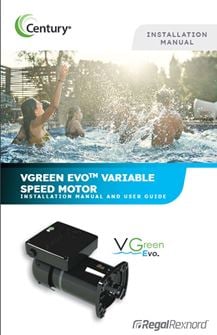
Installation Manual & User Guide:
Other Tools & Resources:
Century has a library of online tools & resources to help you find the right motor for your application. To view our other tolls including a product search tool, product catalog, where to buy, and competitor cross reference click the link below.
More Tools & Resources