
Adding Additional Access to Your Profile
Please follow the below steps to add additional access to your existing Regalbeloit.com profile.
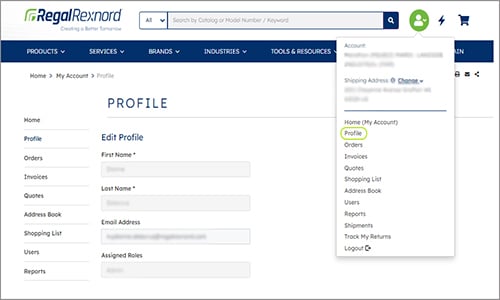
1. Select “Profile” from the drop-down menu.
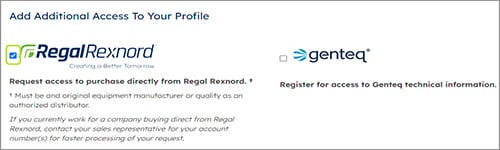
2. Check the box as shown below to purchase directly from Regal Beloit.
3. You will be prompted to enter your existing Account Number as shown below.
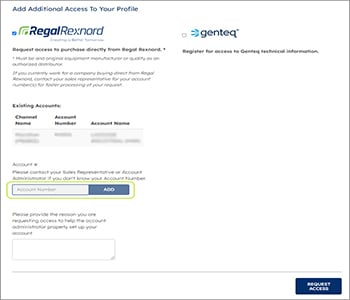
4. If you don’t know your Account Number, please contact your Sales Representative or Account Administrator for assistance.
5. Click the “Request Access” button to submit your request.
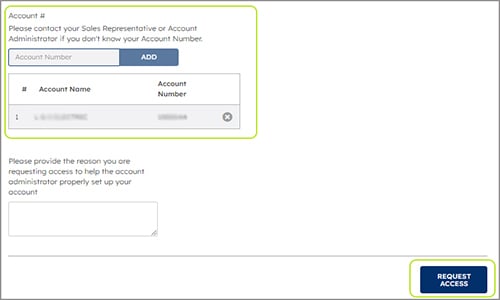
The request will then enter User Management. If approved, you will immediately have access to the account.