Login and Password Reset Help
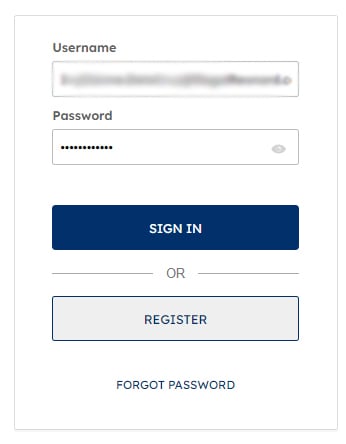
If you have tried your username and password to login to Regalrexnord.com and receive a “Sign-in failed!” error, you can reset your password using the following steps:
1. Underneath the "Sign In/Register" options, click on the "Forgot Password" button.

2. Enter your Username (typically your email) and click the “Reset Password” button.

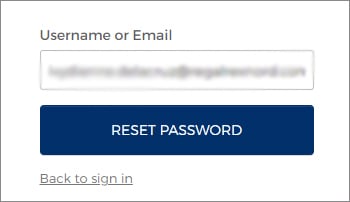
3. You will be provided with an on-screen confirmation that your request to reset your password has been received. Check your email inbox for further instructions.

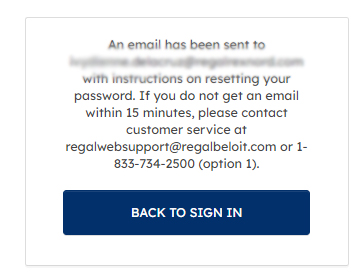
4. You will soon receive an email with a link to reset your password. Click on the “Reset Password” link in the email. This password link expires in one hour. Upon clicking, a new webpage will open in the browser for you to create a new password. Adhere to the password requirements and enter your new password in both “New password” and the “Repeat password” fields. When you are finished creating your password, click on the “Reset Password” button.

5. Once your password has been reset, you will return to the Regal Rexnord Login page. Click on “Login”.


6. Enter your username and new password and press "Sign In" to access your account profile.